Understanding Claude Code's Context and Session Management
If you've used Claude Code for any length of time, you've probably noticed it: the longer a session runs, the slower the responses get. It's not that the AI is degrading — the real issue is context bloat. Here's what's going on under the hood, and what you can do about it.
1. What "Context" Actually Means
In AI terms, context is simply the set of information the model has to work with when answering your request. Today's LLMs are stateless shared services — they don't maintain any built-in memory of you or your project across calls.
Here's what that means in practice: every time you send a message, Claude Code has to bundle up your current request together with the entire conversation history and ship it all to the model. The longer the history, the heavier each payload gets.
Think of it like a briefing folder. Each message you send is like handing a specialist a folder full of background material. Early in the session the folder is thin and skimmable. But if you bounce between unrelated topics — refactor the backend, tweak the frontend, debug a CSS quirk — that folder turns into a sprawling mess. The specialist slows down and starts making errors, not because they're incompetent, but because you handed them a garbage file.
2. Why Compression Alone Won't Save You
Claude Code ships with automatic context compression: once the history grows past a threshold, the system summarizes key points and deduplicates file references. Useful, but it has real limits:
- It's expensive. The compression pass itself typically burns 20% or more of your input token budget. On a large codebase, that's a meaningful chunk of time and cost going toward summarization rather than actual work.
- It guesses wrong on pivots. Compression predicts what's relevant based on what came before — it's not a true context switch. If you suddenly jump to a completely different task mid-session (say, from rewriting API routes to fixing button alignment), the compressed summary still drags stale assumptions forward, and the model gets confused.
3. The Fix: One Task, One Session
The principle is dead simple: give the AI one job at a time. Deep Code makes this easy with two commands:
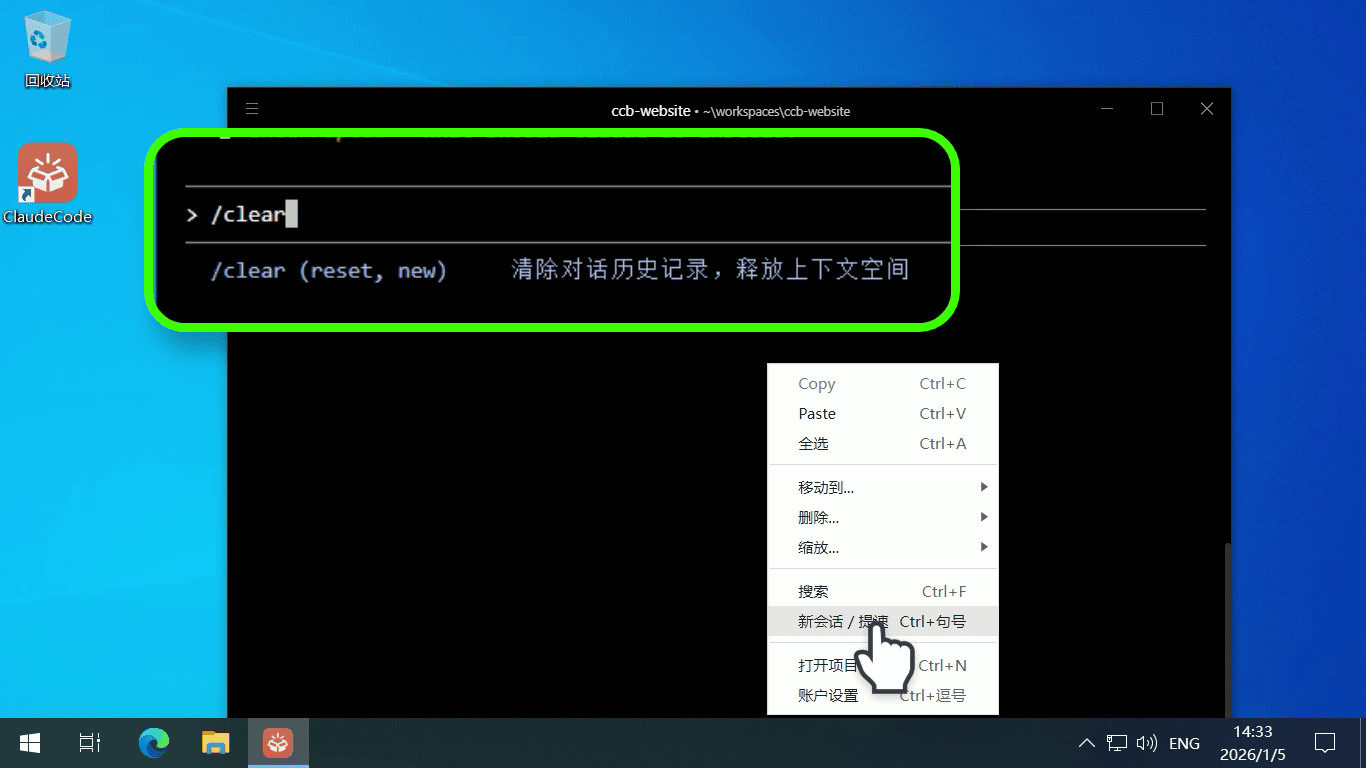
/clear— Start fresh. This wipes the current conversation and opens a clean session. No lingering history, no stale file references — the AI focuses exclusively on what's in front of it right now.
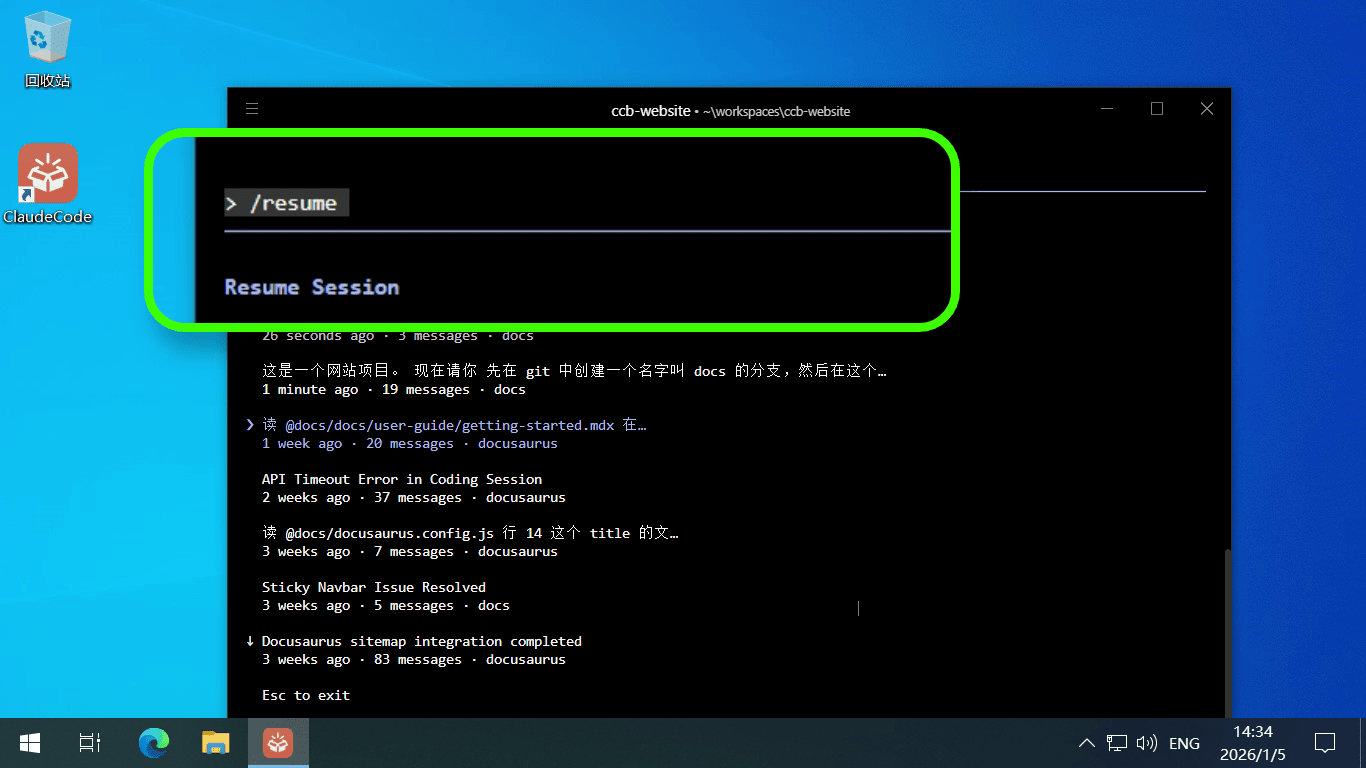
/resume— Pick up where you left off. Need to revisit yesterday's refactoring session?/resumelists all past sessions for the project, each tagged with a one-line summary. Arrow-key through the list, hit Enter on the one you want, or pressESCto back out.
Summary
Here's what we covered:
- Context is your conversation history — and it gets sent to the model with every message. The longer the session, the heavier the payload and the slower the responses.
- Automatic compression helps, but it's not a cure. It burns tokens on summarization and struggles when you switch tasks mid-session.
- The fix is simple: one task, one session. Use
/clearto wipe the slate and start fresh. Use/resumeto jump back into a previous session when you need to pick up where you left off.
That said, /resume has its own rough edges — you only get a one-line summary per session, there's no way to browse conversation content before restoring, and switching between sessions is clunky. If you find yourself fighting these limitations, check out the Task History Panel, a visual interface that lets you browse full conversation histories, copy messages, and switch tasks with a single click.