Bring Your Own DeepSeek V4 Keys
Claude Code is a powerful tool, but Claude API costs can add up if you're using it all day. DeepSeek V4 delivers comparable reasoning at a fraction of the price. With the Bring Your Own Key (BYOK) feature in Deep Code, you can drop in your DeepSeek API key and switch models in seconds — no config files, no proxies, no terminal required.
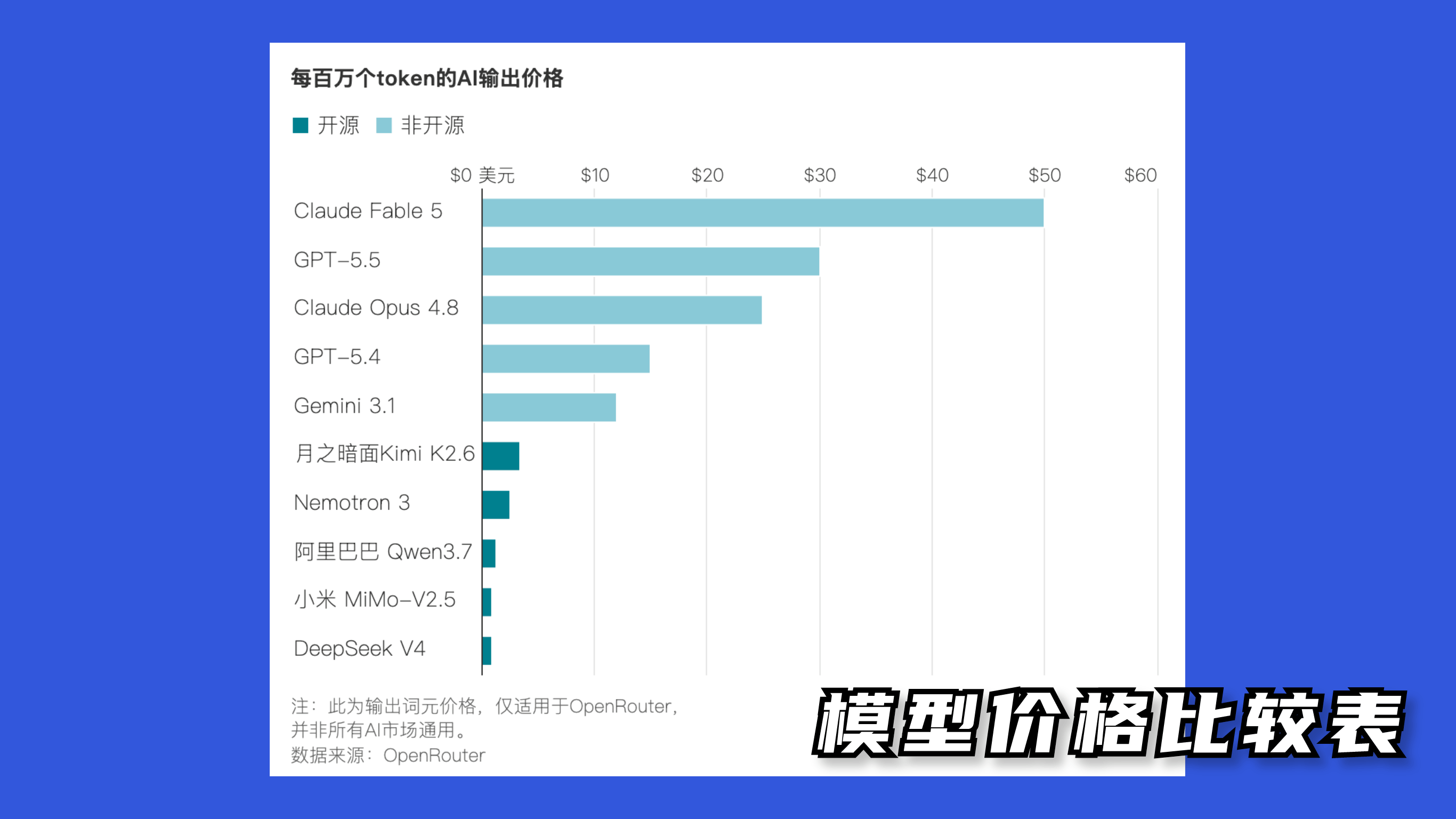
Pricing at a glance
DeepSeek V4 costs roughly one-twentieth the price of Claude Opus, and in some scenarios as little as one-seventieth. Same budget, way more mileage.
Why BYOK?
Before BYOK, using a third-party model meant either:
- Messing with environment variables — tedious, OS-dependent, and easy to get wrong.
- Setting up a proxy — extra infrastructure to maintain, plus potential latency and stability headaches.
BYOK sidesteps all of that. You manage your keys through Deep Code's UI — add, toggle, switch — and it just works.
Setup
Step 1: Get a DeepSeek API key
Head over to platform.deepseek.com/api_keys in your browser. Sign in, then click Create New API Key to generate one. That's it — you've got your key.
Step 2: Open the Key Management panel
Click Settings in the Deep Code, then switch to the Keys tab.
Step 3: Add your DeepSeek API key
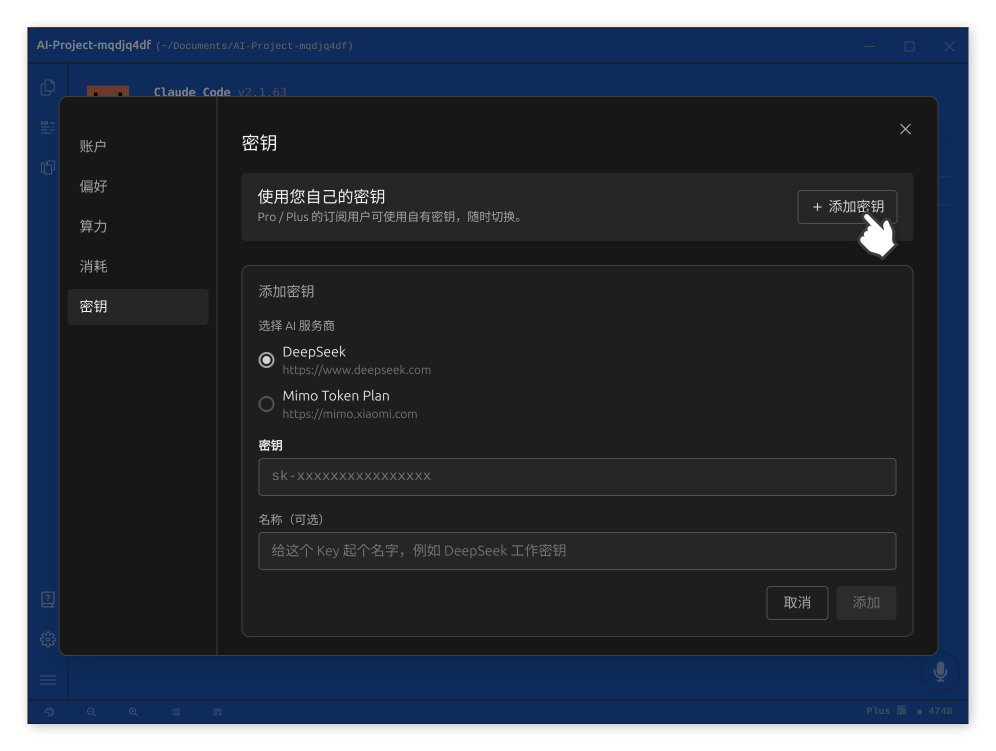
- Click Add Key.
- Paste your DeepSeek API key.
- Click Add.
After the key is saved, flip the toggle next to it to activate DeepSeek V4.
Step 4: You're all set
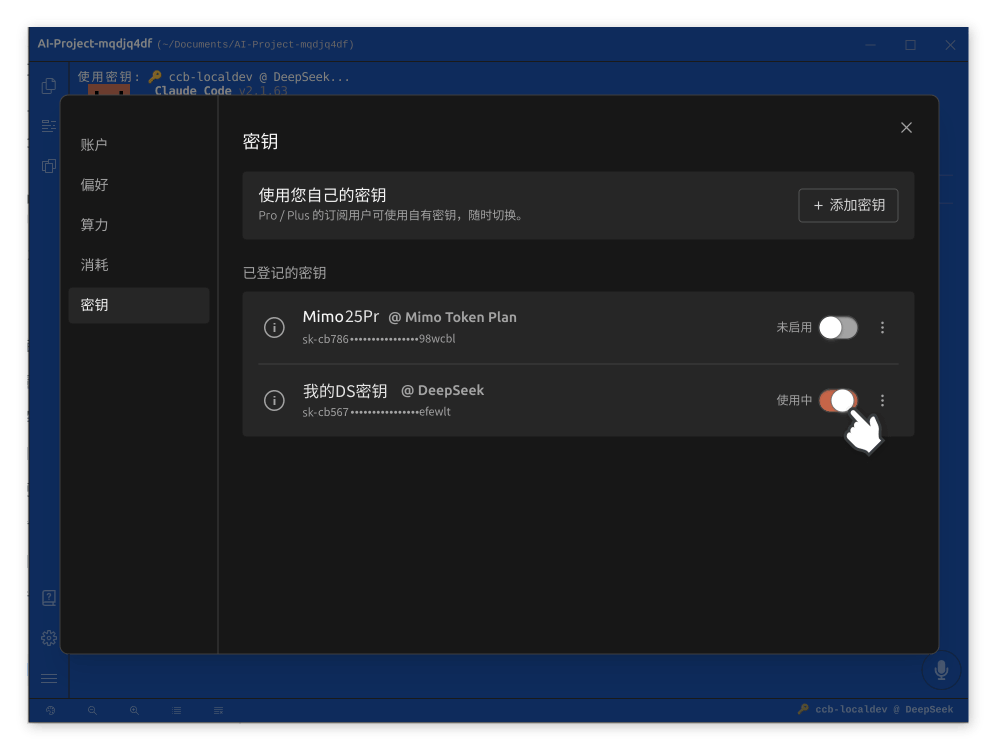
Once the toggle is on, Deep Code switches to DeepSeek V4 immediately. Every prompt you send from that point on goes through DeepSeek V4.
Switching models
You've got two ways to switch between models.
From the Key Management panel
Open Settings → Keys and toggle any registered key on or off. Turn off the active key to fall back to the default model, or flip on a different key to switch.
From the quick-switch menu
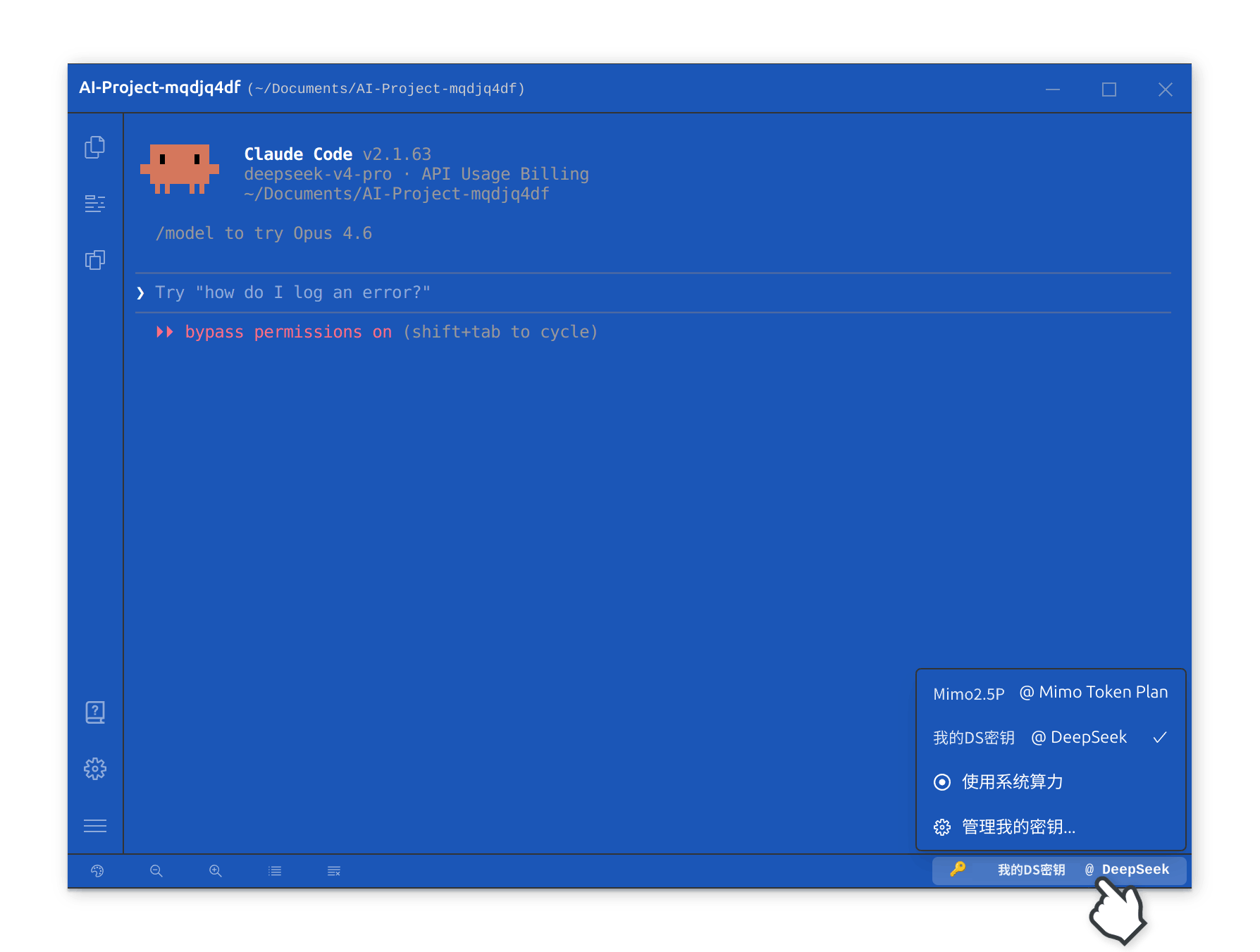
Click the model indicator in the bottom-right corner of the Deep Code window. You'll see a list of available models — click one to switch instantly without digging into Settings. Handy when you're flipping between models throughout the day.
You can register multiple API keys at once, so you can pick the right model for the task (and the budget).
Other supported models
BYOK isn't limited to DeepSeek V4. You can add keys for other supported third-party models the same way. Check Deep Code desktop application for the latest list.
TL;DR
- Cut your costs — DeepSeek V4 is dramatically cheaper than Claude for daily coding work.
- No config sprawl — paste your key into the UI and you're done. No env vars, no proxy.
- Switch on the fly — manage multiple keys and toggle between models whenever you need.
BYOK gives you all of Deep Code's task orchestration and code generation capabilities without the full Claude price tag.