How to Reference Files and Folders in Deep Code
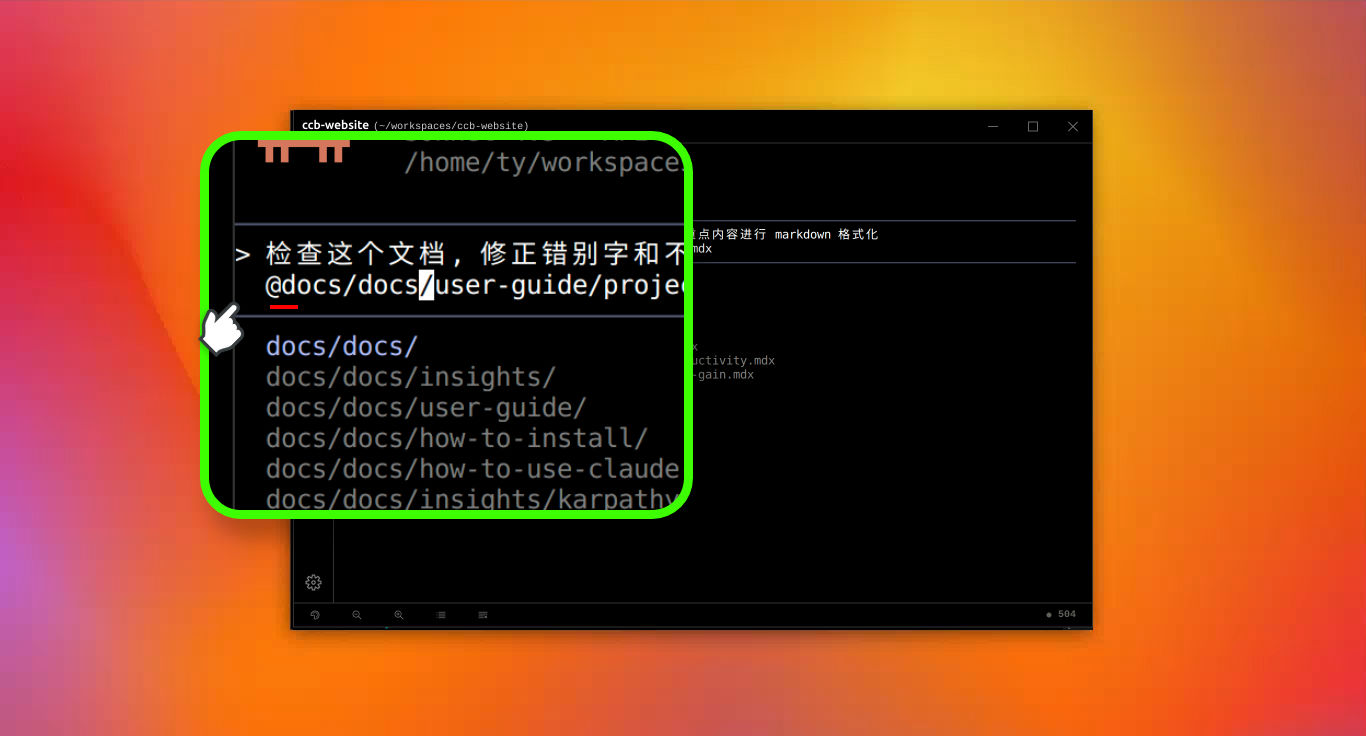
To reference a file or folder, type @ in the chat input. Deep Code will show a list of files in your current directory. Start typing part of the path to narrow things down, then use the arrow keys to pick what you need. It works the same way for directories.
Syntax
Type @ followed by the file or directory path:
-
File:
@path/to/your/file.js— includes the full file contents in the conversation context. -
Directory:
@path/to/your/directory/— lists the directory contents without loading every file. You can then tell Deep Code which files to read.
Examples
Read a file
Read @src/components/Header.js and explain what it does — Deep Code loads the file and walks you through it.
Compare two files
What's different between @src/styles/main.css and @src/styles/mobile.css — both files are loaded side by side for comparison.
Explore a directory
List everything in @src/api/ and describe what each file is for — Deep Code shows the directory structure and breaks down each file.
Summary
Typing @ from the keyboard works well, but it can get tedious with deeply nested paths or files with unusual names. For a smoother experience, try the graphical file tree panel — it lets you browse and insert file references without typing a thing.