Getting Started with Deep Code on Linux
This guide walks you through downloading and using Deep Code on a Linux computer with simple steps.
Deep Code System Requirements
- OS: 64-bit versions of popular Linux distributions
- Memory: 4GB
- Storage: At least 1GB of available space
- Network: Internet access required
Installing Deep Code
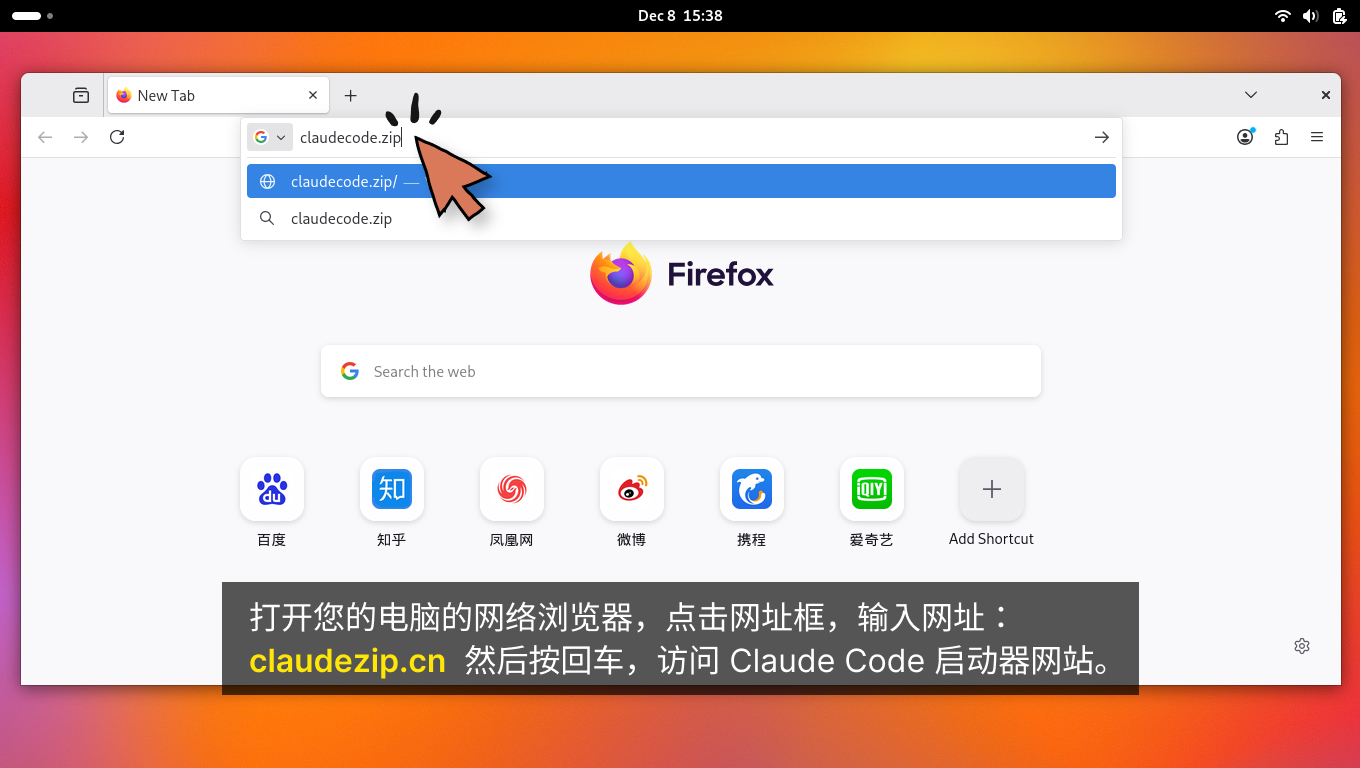
Step 1: Open your web browser, click the address bar, and type: deepcode.zip. Then press Enter to open the Deep Code website.
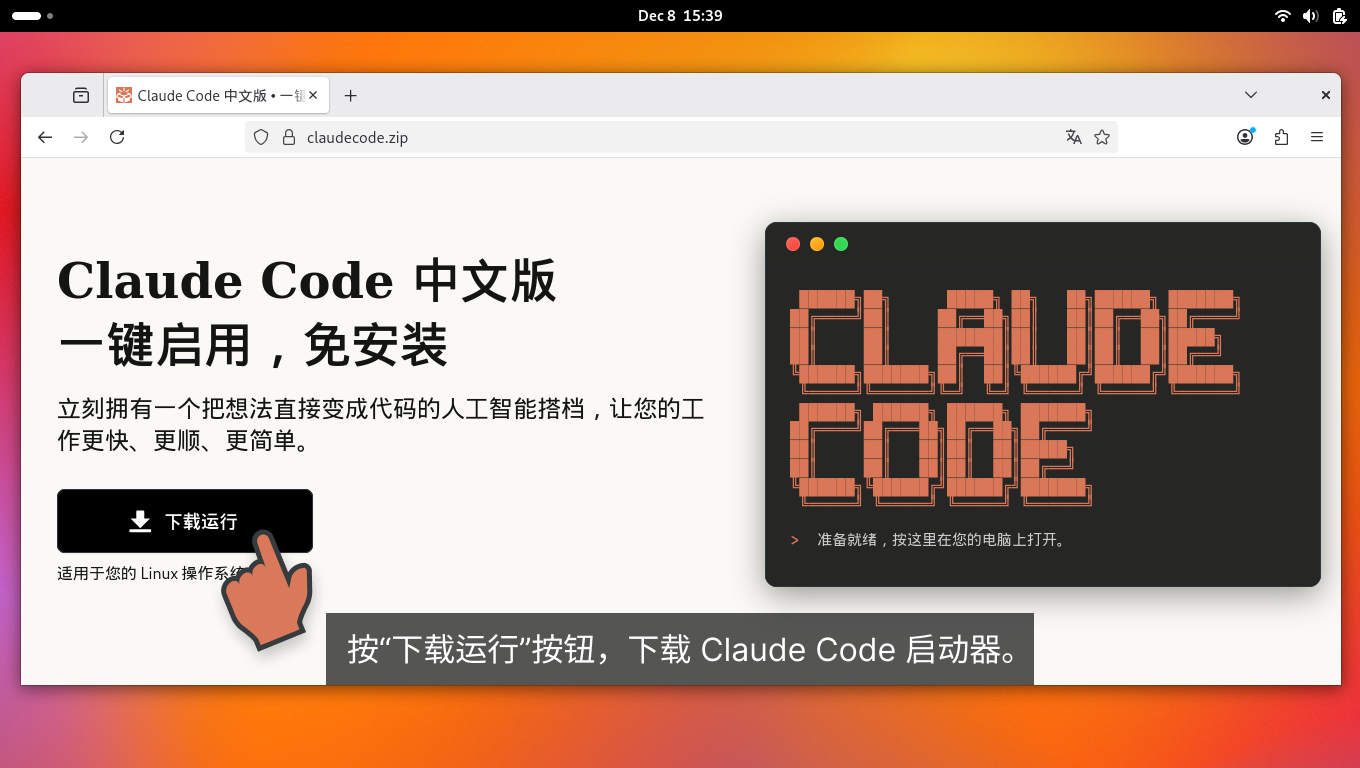
Step 2: Click the "Download & Run" button to download Deep Code.
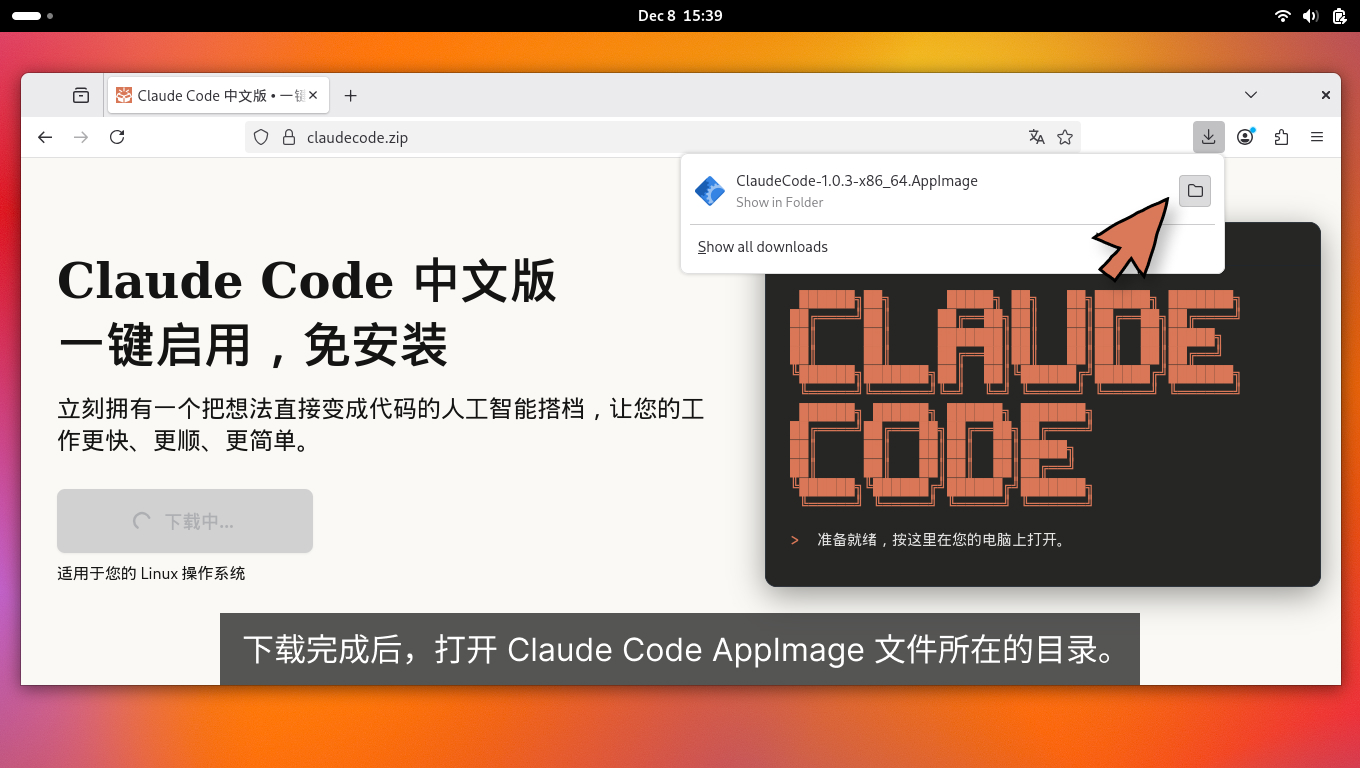
Step 3: Once the download is complete, open the directory containing the Deep Code AppImage file.
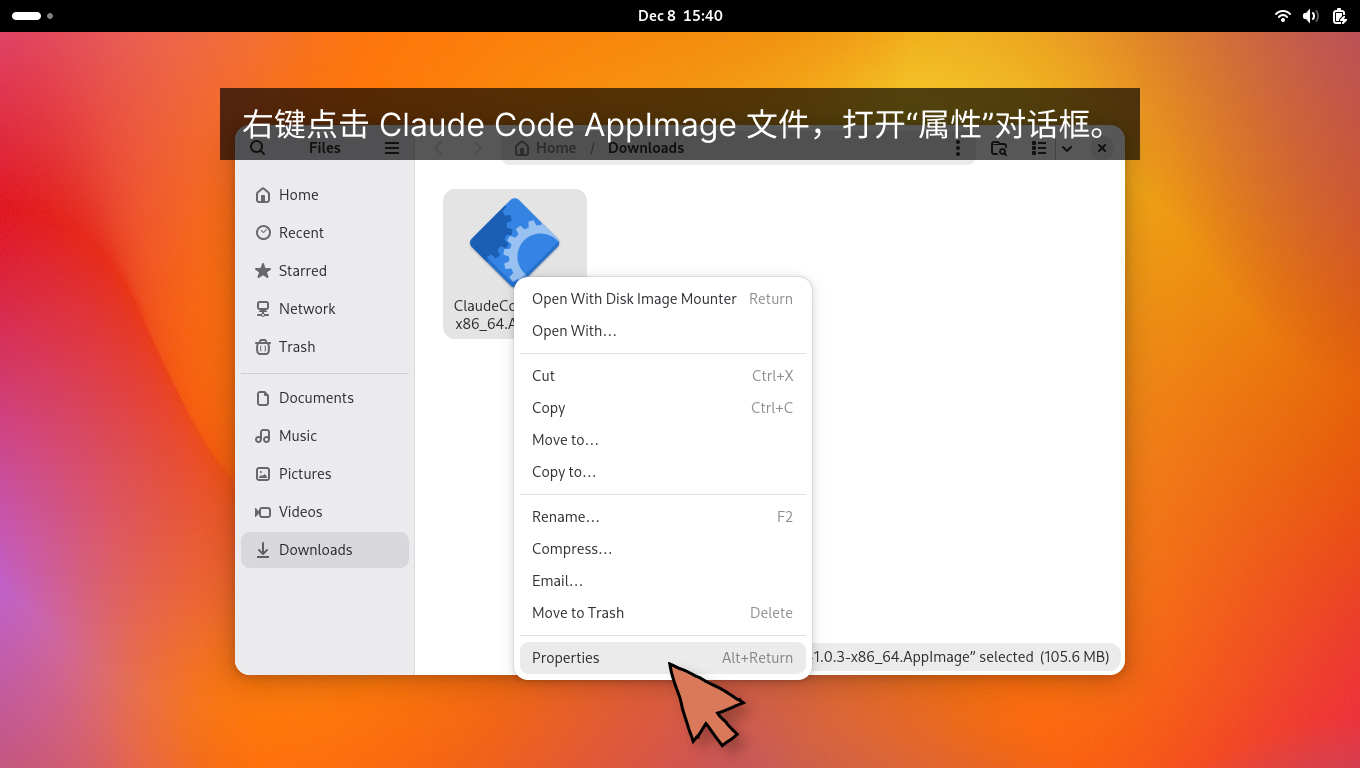
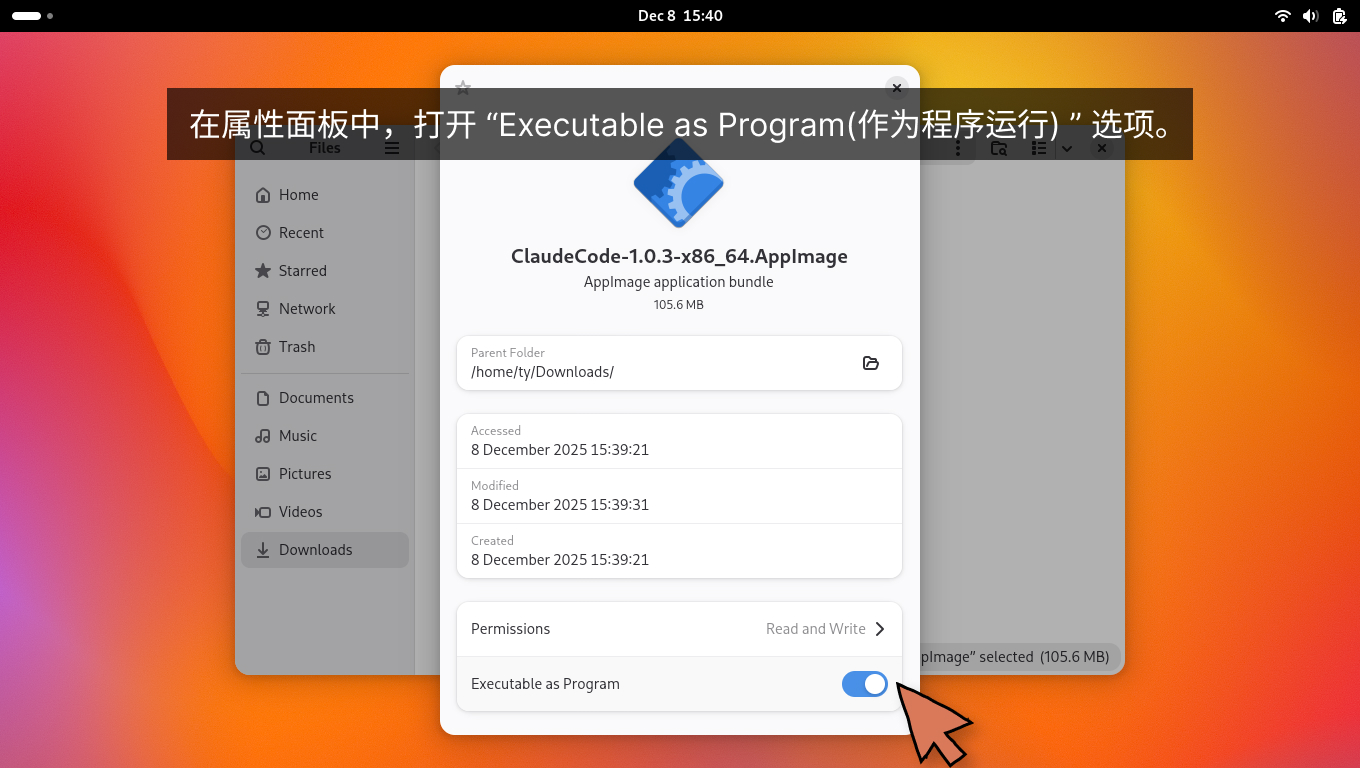
Step 4: Right-click the Deep Code AppImage file and open the "Properties" dialog.
Step 5: In the Properties panel, enable the "Executable as Program" option.
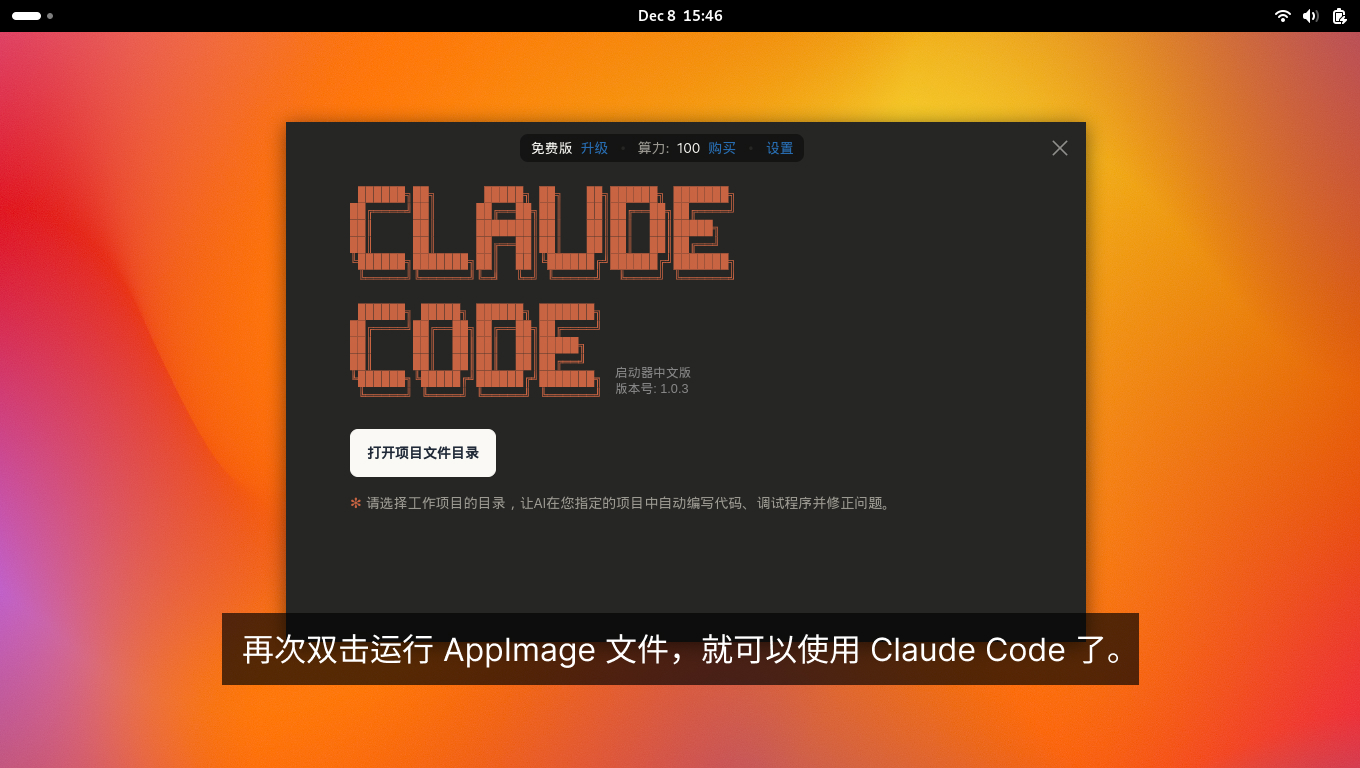
Installation Complete Double-click the AppImage file again to start using Deep Code.
Next Steps
Now that Deep Code is up and running, here is how to get started:
- Select a project folder -- When you first launch Deep Code, click "Open Project Folder" and choose the directory where your code lives. The AI will work strictly within this folder, keeping everything organized.
- Tell the AI what to do -- Click the voice input button in the bottom-right corner and just speak your request out loud — no typing needed. Prefer typing? Enter a clear instruction in the input box instead. Either way, Deep Code takes it from there: analyzing, planning, and executing the task.
- Work on multiple projects -- Use
Ctrl + Nto open a new window and juggle several projects in parallel.
For a full walkthrough with screenshots, check out the Quick Start guide.